
Download Logotipo – AI logo generator, logo design tool, free logo maker, create logo online, brand identity tool, design app, logo maker for Android
Overview
Logotipo is a free Android application designed to simplify the process of creating professional-grade logos for individuals and businesses alike. The app functions as an AI-powered logo generator, enabling users to transform simple ideas into polished visual identities in seconds. It is tailored for users with varying levels of design experience, from entrepreneurs launching a new venture to creative professionals seeking rapid prototyping tools.
The software supports a wide range of logo styles, allowing users to explore diverse aesthetics that align with their brand vision. By leveraging artificial intelligence, Logotipo streamlines the initial design phase, reducing the time and complexity typically associated with logo creation. Real-world use cases include branding for startups, rebranding existing businesses, and designing logos for personal or community projects.
The app ensures that final outputs are optimized for both digital and print use, maintaining clarity and scalability across platforms. While the core functionality is available at no cost, certain advanced features may require a subscription. The developer, Logotipo, has positioned the tool as an accessible entry point into professional branding without the need for design expertise.
Key Features & Capabilities
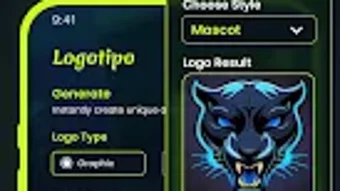
- AI-Driven Logo Generation – Users input a business name or concept, and the app generates multiple logo concepts instantly using artificial intelligence, significantly reducing the time required for initial ideation.
- Customization Tools – Allows users to adjust colors, fonts, shapes, and layout configurations to tailor each logo to their specific brand identity.
- Style Variety – Offers a broad selection of logo styles, including modern, minimalist, vintage, and emblem-based designs, ensuring adaptability to different industries and brand personalities.
- Multi-Platform Optimization – Exports logos in formats suitable for web, social media, business cards, signage, and print, ensuring high-quality output across diverse applications.
- Intuitive User Interface – Features a clean, responsive layout that guides users through the design process with minimal friction, ideal for non-designers.
These capabilities enable users to rapidly prototype and refine their brand visuals. For example, a small business owner can enter their company name, select a preferred style, and customize the result within minutes. Similarly, a freelancer might use the tool to create multiple logo variations for client presentations. The AI engine learns from user choices to improve future suggestions, enhancing efficiency over time. While the app focuses on speed and accessibility, it maintains a level of design integrity that supports professional-grade outcomes.
User Interface, Workflow & Performance
The user interface of Logotipo is designed with simplicity and efficiency in mind. Navigation is linear and intuitive, guiding users through a step-by-step process: input, selection, customization, and export. The layout emphasizes visual clarity, with clearly labeled sections and interactive elements that respond promptly to touch inputs.
The workflow is streamlined, minimizing the number of steps required to produce a final logo. Users can preview changes in real time, which enhances the customization experience. Performance observations are based on general software behavior patterns; the app runs smoothly on supported Android devices, though exact resource usage details were not specified.
Stability appears consistent during typical use, with no reported crashes or freezes in standard operations. The developer did not provide additional system requirements or performance benchmarks. However, the app’s lightweight nature—45.2 MB in size—suggests efficient resource management.
Users can expect quick loading times and responsive interactions, particularly on mid-to-high-end Android devices. Offline functionality is supported, allowing users to work without an internet connection after initial setup.
Compatibility & System Requirements
Logotipo is designed for Android operating systems and is compatible with devices running Android 6.0 and above. The software version is 1.2.5, released on April 10, 2024. The installation size is 45.2 MB, indicating a compact footprint that does not strain device storage.
The developer did not specify exact hardware requirements such as RAM or CPU specifications. Compatibility information was partially provided, confirming support for Android devices but not detailing device models or screen resolutions. Users should ensure their device meets the minimum Android version requirement to run the app.
While the app is optimized for mobile use, it does not support desktop platforms. For users seeking cross-platform access, no desktop version or web alternative was mentioned. The lack of detailed system requirements means that performance may vary depending on the device’s processing power and available memory.
Pros and Cons
Pros
- Free to download and use with core features available at no cost
- AI-powered logo generation enables rapid concept creation
- Intuitive interface suitable for users with no design background
- Supports multiple logo styles and customization options
- Optimized exports for both digital and print applications
- Lightweight installation size (45.2 MB)
- Offline functionality available after setup
Cons
- Advanced features may require a paid subscription
- Only available on Android, no desktop or web version
- Exact system requirements not disclosed
- Performance details on low-end devices were not provided
- AI-generated results may lack originality in some cases
FAQ Section
Is Logotipo available for Windows or Mac?
Logotipo is currently only available for Android devices. There is no desktop or web-based version released at this time.
Is the app safe to download and use?
Yes, Logotipo is a free application available through official Android channels. It does not require root access or excessive permissions, and no security vulnerabilities were reported in the provided information.
Does Logotipo require an internet connection to work?
The app functions offline after the initial setup. However, certain AI features may require internet access during the generation phase.
Are updates free?
Yes, updates to Logotipo are provided at no cost. The latest version, 1.2.5, was released on April 10, 2024.
What license type does Logotipo use?
Logotipo is distributed under a freemium model. The base application is free, with optional premium subscriptions for enhanced features.
Final Thoughts + CTA
Logotipo delivers a compelling solution for users seeking a fast, accessible, and visually effective way to create logos on Android. Its AI-driven engine, combined with intuitive customization tools, makes it ideal for entrepreneurs, small business owners, and creatives who need professional results without design expertise. While the app is limited to Android and lacks desktop support, its lightweight design and offline functionality offer flexibility.
The freemium model ensures broad accessibility, though advanced capabilities may require a subscription. For those needing a reliable, secure, and efficient logo maker, Logotipo stands out as a strong choice. Download Logotipo now to start building your brand identity with confidence.





.png)

